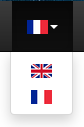
This system allows changing the site language from a menu. It uses sessions to store the language when changed. Then a middleware modifies the language to the one stored in the session using Laravel’s “setLocale” feature and Blade’s translation system.
Creating the Menu Display
CSS:
.flag {
    width: 21px;
    height: 14px;
}
HTML:
<!-- locale translation -->
<li class="dropdown">
    <a data-toggle="dropdown" class="dropdown-toggle" href="#"><img class="flag" src="{{ url('images/lang/'.Session::get('locale').'.png') }}" alt="{{ Session::get('locale') }}"/><b class="caret"></b></a>
    <ul class="dropdown-menu flagMenu">
        <li><a href="{{ url('lang/en') }}"><img class="flag" src="{{ url('images/lang/en.png') }}" alt="en"/></a></li>
        <li><a href="{{ url('lang/fr') }}"><img class="flag" src="{{ url('images/lang/fr.png') }}" alt="fr"/></a></li>
    </ul>
</li>
Creating the Route That Stores the New Language in Session
Route::get('/lang/{locale}', function ($locale) {
    Session::set('locale', $locale);

    if($_SERVER['HTTP_REFERER'])
        return redirect($_SERVER['HTTP_REFERER']);
    else
        return redirect('/');
});
Creating the Middleware
Add this middleware to all routes from the Kernel.php file.
<?php

namespace App\Http\Middleware;

use Closure;
use Session;
use App;

class UserLocal
{
    /**
    * Handle an incoming request.
    *
    * @param  \Illuminate\Http\Request  $request
    * @param  \Closure  $next
    * @return mixed
    */
    public function handle($request, Closure $next)
    {

        if(!Session::has('locale'))
        {
            Session::put('locale', App::getLocale());
        }

        App::setLocale(Session::get('locale'));

        return $next($request);
    }
}
Using Translations
To translate your site with this system, use Blade’s built-in translation system (https://laravel.com/docs/5.4/localization).
{{ trans('app.search') }}
Possible Improvements
- Use cookies instead of sessions
- User country detection